
Access Ezy Ribbon Builder and Editor BETA A sophisticated yet easy-to-use tool for building custom ribbons for Access 2007/2010/ 2013. The free Instant Ribbon Wizard builds a Ribbon switchboard in just two clicks from the native Access Switchboard Items table, and you can open the XML file created by the Wizard in the Builder and use it as a quick start template.
Easily Migrate Legacy Access Switchboards to the Access 2010/2013 Navigation Form
Kiosk Dashboard Sample Access Database Mouse-driven full-screen modal kiosk dashboard
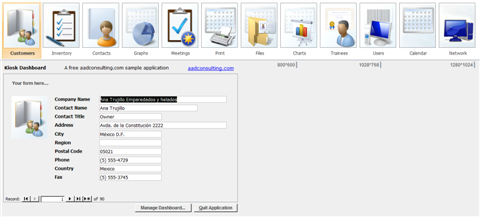
Ezy Dashboard Builder is a cutting-edge tool for quickly building a fully-functional Access database dashboard.
You don't need a switchboard in your existing application to build a Dashboard using the Builder, and you don't need to know VBA or write any macros - the builder automatically handles ever
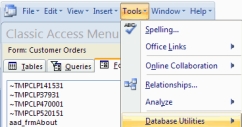
Classic Database MenuBar and Window for Access 2007/2010/2013/2016+
This free sample Access 2007/2010 database gets you beyond the frustrations of learning the new Office 2007/2010 Ribbon and helps you learn the location of familiar commands in the unfamiliar Ribbon environment.
Files provided as is without warranty of any kind. Owner of files does not assume any liability for use or consequences of use. All software including freeware are single user licences only. Multi-user licences must be purchased. Free software is not supported. Microsoft Access is a trademark of Microsoft Corporation.